Full English Support | 2-Year Warranty | Shop with ConfidenceοΌ
DMA HARDWARE ProStore
- DICHEN Official Authorized Distributor
Best DMA Hardware
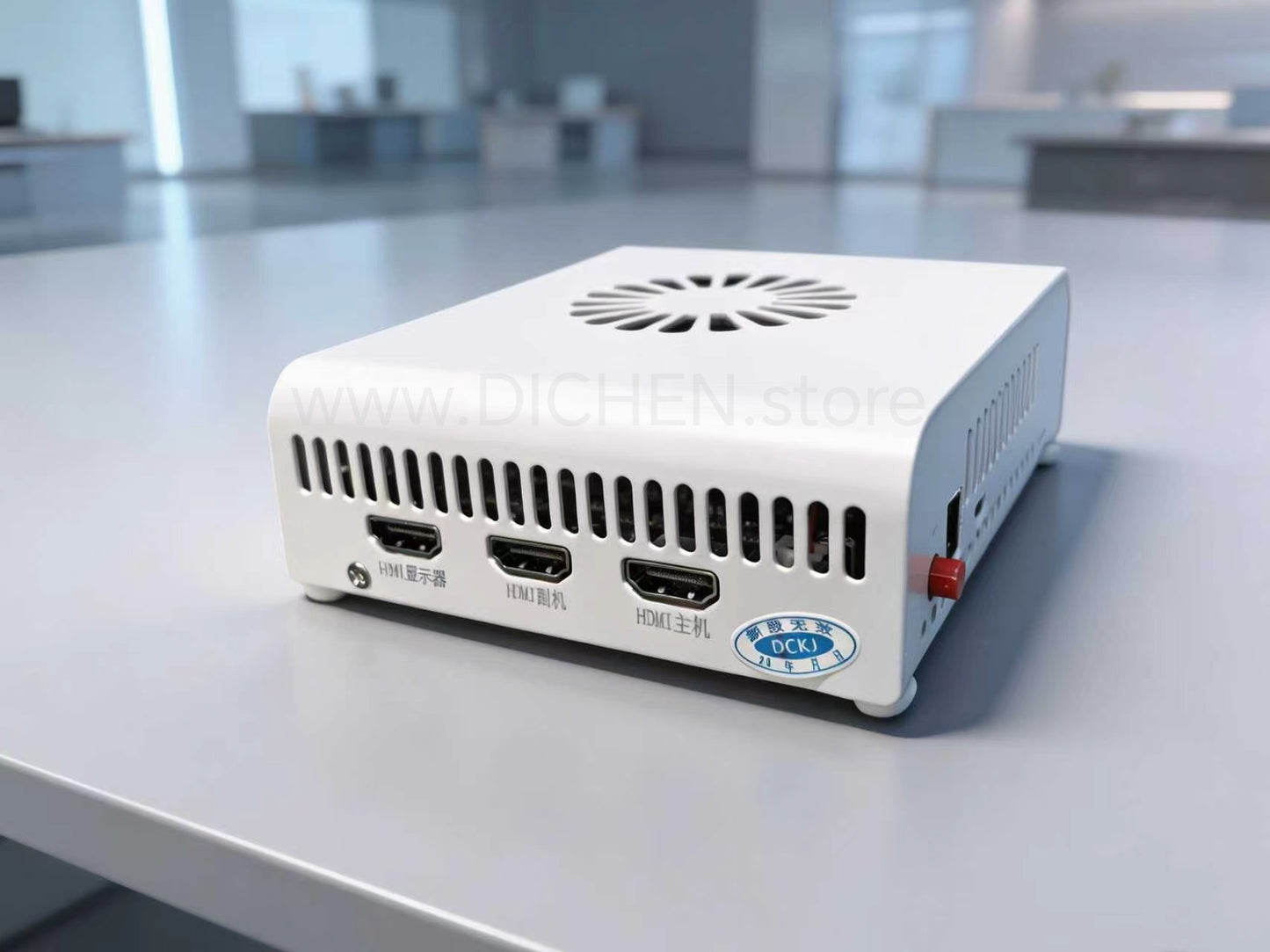
DICHEN DC505 4K Fusion Processor with Capture Card & EDID Injection

DMA Cards Knowledge Center
What Is a DMA Card?
What Is a DMA Card?
If you've been researching PCIe FPGA hardware, you've probably seen the term "DMA card" mentioned quite often. In simple terms, a DMA (Direct Memory Access) card is a PCIe-based FPGA board that can exchange data with a host system at very high speed without relying heavily on the CPU.
Most DMA cards on the market today are built around Xilinx Artix-7 FPGA devices. The FPGA acts as a programmable hardware platform, allowing developers to create custom PCIe implementations, test hardware designs, analyze data streams, or build specialized applications that require fast communication with a computer.
What makes a DMA card interesting is not the PCIe connector itselfβit's the FPGA behind it. The more FPGA resources available, the more flexibility developers have when creating custom logic and firmware. This is one reason why many users eventually move from smaller FPGA platforms to larger devices with additional logic capacity.
Over the last few years, the discussion has gradually shifted from entry-level 35T boards to 75T models, and more recently toward Artix-7 100T platforms. The 100T provides significantly more resources for complex projects while maintaining the same familiar development environment. For developers planning long-term FPGA work, that extra headroom can be valuable.
When comparing DMA hardware, experienced users usually focus on FPGA resources, PCIe stability, firmware support, and overall board quality rather than looking at specifications alone. A well-designed FPGA platform often provides a better development experience than simply choosing the lowest-cost option.
Whether you're learning FPGA development, building custom PCIe projects, or exploring advanced hardware platforms, understanding the FPGA architecture behind a DMA card is often more important than the DMA label itself.
Best PCIe DMA Cards in 2026
The FPGA hardware market continues to evolve in 2026, and one trend is becoming increasingly clear: more users are moving beyond 35T and 75T platforms toward newer 100T-based solutions.
Built around the Xilinx Artix-7 100T FPGA, the latest generation of hardware offers significantly more logic resources, memory capacity, and development flexibility compared with previous generations. While 35T boards remain suitable for entry-level projects and 75T boards continue to serve a wide range of applications, the 100T platform provides additional headroom for advanced PCIe development, high-speed data acquisition, protocol research, and custom FPGA designs. Community discussions increasingly describe the 100T as the natural upgrade path for users who have outgrown the limitations of smaller FPGA devices.
Unlike earlier generations, the 100T FPGA allows developers to work with more complex logic designs while maintaining stable PCIe performance. The larger resource pool makes it attractive for demanding projects that require extensive memory interaction, custom firmware development, or future expansion. Open-source FPGA communities also highlight the flexibility of programmable PCIe FPGA hardware beyond any single application, reinforcing its value as a long-term development platform.
For professionals looking at PCIe FPGA hardware in 2026, the 100T platform represents one of the most capable options currently available. Its combination of performance, scalability, and development potential makes it a strong choice for engineers, researchers, and advanced hardware enthusiasts seeking a future-ready solution.
Explore our latest FPGA development boards and discover why the 100T platform is quickly becoming one of the most discussed upgrades in today's high-performance hardware market.
How DMA Cards Work Over PCIe
One question that comes up quite often is how a DMA card actually communicates with a PC.
The short answer is that it uses the PCIe bus, just like a graphics card, network adapter, or storage controller. When a DMA card is installed into a PCIe slot, the operating system recognizes it as a PCIe device and allocates system resources for communication.
The interesting part is what happens on the FPGA itself.
Most DMA cards are built around an FPGA, which acts as the logic engine behind the hardware. Instead of performing a fixed function, the FPGA can be programmed to handle PCIe transactions, process incoming data, and exchange information with the host system. This flexibility is one reason FPGA-based PCIe hardware remains popular among developers and hardware researchers.
If you've ever looked at DMA hardware specifications, you've probably noticed references to FPGA sizes such as 35T, 75T, or 100T. These numbers don't directly affect PCIe speed, but they do determine how much logic and functionality can be implemented on the board. Larger FPGA devices provide more room for custom designs, additional features, and future expansion.
In practice, a DMA card sits between the FPGA and the PCIe interface. The PCIe connection handles data transport, while the FPGA determines what happens to that data once it reaches the board. That's why two DMA cards may use the same PCIe interface yet offer very different capabilities.
For many developers, the real value isn't the PCIe connector itselfβit's the programmable FPGA behind it. The PCIe link provides the highway, while the FPGA controls how the traffic moves.
As FPGA projects become more demanding, many users are now choosing larger platforms such as Artix-7 100T boards. The additional FPGA resources make it easier to build complex PCIe applications without running into the limitations often found on smaller devices.
Understanding this relationship between PCIe and FPGA hardware makes it much easier to compare different DMA cards and choose a platform that fits your project requirements.
DMA Card vs Capture Card
DMA Card vs Capture Card: What's the Difference?
If you're new to PCIe hardware, it's easy to assume that a DMA card and a capture card are doing the same job. After all, both plug into a PCIe slot, both transfer data, and both are often mentioned in discussions about high-speed hardware.
In reality, they're designed for completely different purposes.
A capture card is built to receive video signals. Think of HDMI input, DisplayPort input, streaming, recording gameplay, or capturing footage from another device. Its job is straightforward: take a video source and turn it into something a computer can record, stream, or process.
A DMA card works at a much lower level.
Instead of dealing with video signals, a DMA card is built around an FPGA and communicates directly through the PCIe bus. The focus isn't video captureβit's data movement, PCIe communication, and hardware-level development. What happens on the board depends largely on how the FPGA is configured.
One mistake beginners often make is comparing the specifications of a capture card to those of a DMA card. Things like HDMI version, recording resolution, and frame rate matter for capture hardware. For DMA hardware, developers usually care more about FPGA resources, PCIe stability, firmware support, and overall board design.
Another difference is flexibility.
Most capture cards perform a fixed function. You install the hardware, load the driver, and start capturing video. An FPGA-based DMA card is much more open-ended. The hardware can be programmed and adapted for different projects, which is why FPGA resource levels such as 35T, 75T, and 100T are often discussed when comparing boards.
If your goal is recording or streaming video, a capture card is probably what you're looking for.
If your interest is PCIe development, FPGA projects, hardware research, or building custom logic, then a DMA card makes far more sense.
The easiest way to think about it is this: a capture card is a specialized tool designed for video, while a DMA card is a programmable hardware platform built around an FPGA. They may occupy the same PCIe slot, but they're solving very different problems.
75T vs 100T FPGA DMA cards
75T vs 100T FPGA Boards: Is the Upgrade Worth It?
Over the last couple of years, the Artix-7 75T became the board most people talked about when comparing DMA hardware and PCIe FPGA platforms. It offered a good balance between price, FPGA resources, and overall compatibility, which is why so many projects ended up using it.
Lately, though, I've noticed more people asking about 100T boards.
The reason is pretty simple. The jump from a 75T to a 100T isn't just a different model number. You're getting a noticeably larger FPGA.
The XC7A75T provides roughly 75,000 logic cells, while the XC7A100T increases that to around 101,000. Along with the extra logic, the 100T also offers more LUTs, more flip-flops, additional Block RAM, and more DSP resources. On paper that might not sound dramatic, but once you start building larger FPGA designs, those resources disappear faster than most people expect.
For basic PCIe projects, many users will never fully utilize a 75T. That's why the 75T remained popular for so long. If your design is relatively simple and you're not running into FPGA resource limits, the real-world difference may be small.
Where the 100T starts to make sense is when you're planning ahead.
One thing I've seen repeatedly is that developers buy a 75T board because it's enough for their current project, then a few months later discover they need additional logic, memory buffers, or custom features. At that point, they're rebuilding the project on a larger FPGA anyway.
That's why many experienced FPGA users now recommend starting with a 100T if the budget difference isn't significant. The PCIe interface may look similar, but the extra FPGA headroom gives you far more flexibility down the road.
The way I look at it is simple: a 75T is still a solid board in 2026, but the 100T feels more future-proof. If you're investing time into FPGA development rather than just testing a quick project, the additional resources are often worth having.
That's probably the biggest reason why discussions are gradually shifting from 75T boards toward 100T platforms. The performance isn't coming from a faster PCIe slotβit's coming from having more FPGA available when you eventually need it.
Best DMA Cards in the market
-
SILVER SHIELD 100T DMA Card β High-Speed Data Processing and Research
Regular price $165.00 USDRegular priceUnit price / perSale price $165.00 USD -
FPGA DMA Card 001 - Captaindma 75T's SPEC/ without firmware
Regular price $99.00 USDRegular priceUnit price / per$0.00 USDSale price $99.00 USD -
STARK MAX 100T DMA Card
Regular price $347.00 USDRegular priceUnit price / perSale price $347.00 USD -
FPGA DMA Card 003 - MVP DMA 75T's SPEC/ without firmware
Regular price $150.00 USDRegular priceUnit price / perSale price $150.00 USDSold out
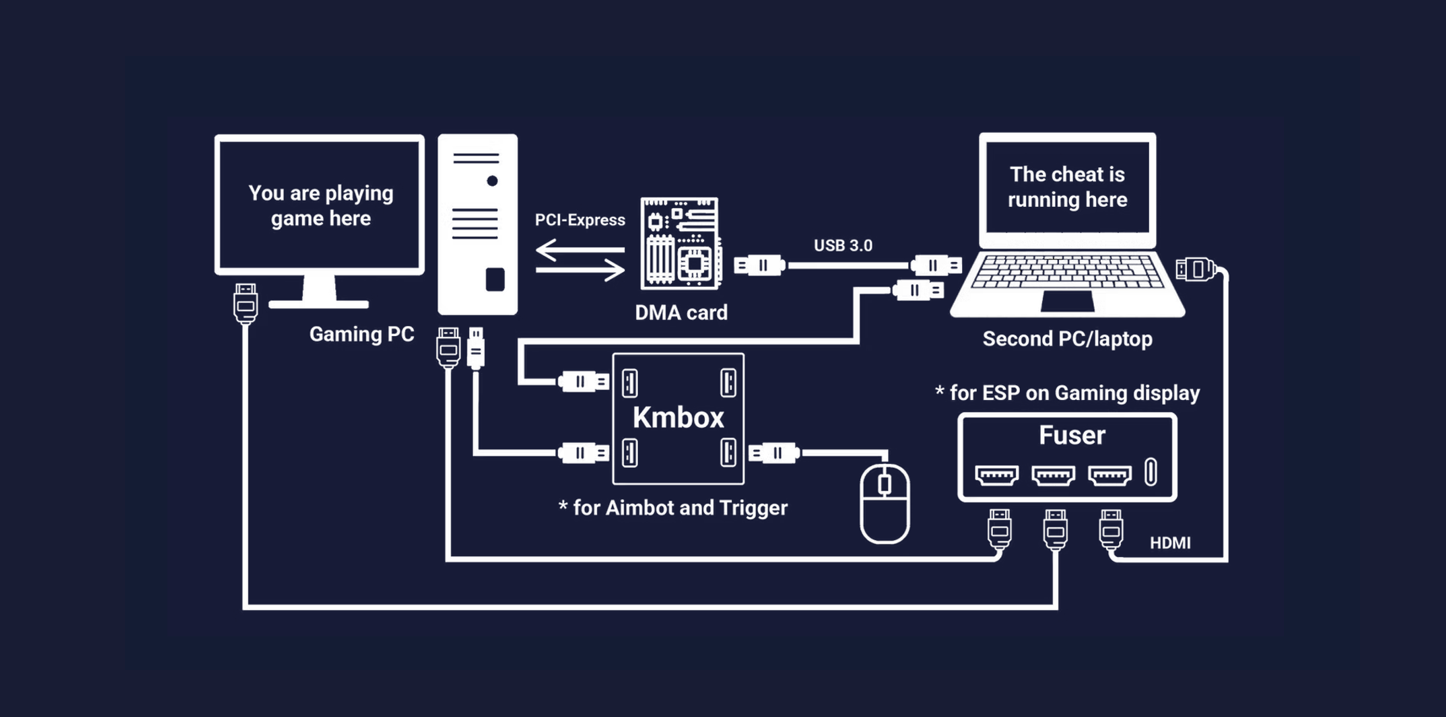
How Do DMA Cheats Work ?
Best-Selling DMA HARDWARE 2026
DICHEN 4K FUSER
The DICHEN 4K Fuser is designed for users who demand both clarity and speed. It delivers 4K resolution at 120Hz, and also supports 2K at 240Hz and 1080P at 360Hz, giving esports players and professional users the sharp detail and smooth motion they need for fast-paced environments.
Beyond raw resolution, the device is equipped with HDMI 2.1 and DP 1.4 inputs, making it easy to handle multiple video sources at once. Its intelligent fusion engine synchronizes signals with minimal effort, ensuring a seamless viewing experience whether you are streaming, competing, or monitoring.
Latency is often the deciding factor in competitive play. The 4K Fuser integrates a dedicated low-latency processing chip, bringing transmission delays down to under 1ms. For FPS gamers, AR/VR developers, or anyone working in latency-sensitive applications, this means reactions stay instant and visuals remain perfectly in sync.
SILVER SHIELD 100T DMA FPGA DEVELOPMENT BOARD
Official Authorization & Reliability
The 100T DMA Card is officially authorized, ensuring dependable quality and broad compatibility for professional use.
Direct Memory Access Performance
With true Direct Memory Access (DMA) technology, the card accelerates data transfers and improves system efficiency in demanding workloads.
Stable Operation at High Temperatures
Engineered to withstand conditions up to 105Β°C, the 100T DMA delivers consistent performance even under heavy stress.
Easy Integration & Data Integrity
Built with a streamlined module design, the card is simple to install while maintaining high data integrity across applications.
HPTT DMA β Hybrid PCIe Trace Tool
Stealth PCIe Integration
The HPTT DMA platform works directly through the PCIe bus, enabling high-speed Direct Memory Access while remaining invisible to the operating system.
Zero Performance Impact
Designed for transparency, HPTT DMA delivers real-time data access without slowing down applications or reducing system efficiency.
Device Functions Unaffected
Whether integrated into a Wi-Fi card, USB controller, or storage adapter, the host device continues to operate normally while DMA runs in the background.
Engineered for Research & Development
Built on a Xilinx FPGA architecture, HPTT DMA offers stable, scalable performanceβideal for system testing, data acquisition, and advanced computing projects.
HEINO 2 DMA β Next-Generation PCIe Direct Memory Access Platform
Upgraded Processing Power
The HEINO 2 DMA board is equipped with a new generation processor, delivering faster and more stable PCIe data handling.
Enhanced Cooling Design
A redesigned thermal system keeps performance consistent during long workloads, ensuring reliability under heavy use.
Seamless PCIe Compatibility
Works transparently with network cards, NVMe storage, sound cards, and other PCIe devices without affecting their normal function.
Second-Generation Architecture
Built with improved control modules and structural updates, HEINO 2 DMA offers greater stability and scalability for advanced research.
Collapsible content
-
DICHEN DC500 4K Fuser HDMI 2.1 + DP 1.4 dual interface -Support 1920*1080P/480HZοΌ2560*1440P/ 320HZοΌ3840*2160P/ 160HZ
Regular price $559.00 USDRegular priceUnit price / perSale price $559.00 USD -
4K DP Fusion Device β Baan 7th Generation | RGB 4K144 / 2K240 / 1080P480Hz | Full DP 1.4 Integration
Regular price $397.00 USDRegular priceUnit price / perSale price $397.00 USD -
DICHEN 4K Fuser DP 1.4 Version | Support 1K 360/2K 240/3k 165/4K 120HZ
Regular price $349.00 USDRegular priceUnit price / perSale price $349.00 USD -
Baan DP DMA 6th Generation Fusion Device | Supports 2K/144Hz β Latest Official Version
Regular price $128.00 USDRegular priceUnit price / perSale price $128.00 USD -
DMA-CATBOX Hardware Controller | 1000Hz Input Control System + USB High-Speed Interfac- Without Firmwaree
Regular price $199.00 USDRegular priceUnit price / perSale price $199.00 USD -
Cronus Zen Ultimate Controller Adapter | Multi-Platform Input Device for PS4 / PS5 / Xbox / Switch
Regular price $198.00 USDRegular priceUnit price / perSale price $198.00 USD -
HEINO 2 DMA β Next-Generation PCIe-Based Direct Memory Access Platform
Regular price $5,999.00 USDRegular priceUnit price / perSale price $5,999.00 USD -
Godlike GBOX Fuser DP & HDMI Fuser / 1K60, 1K144, 1K165, 1K240, 2K144, 2K165, 3K100, and 4K60
Regular price $169.00 USDRegular priceUnit price / perSale price $169.00 USD -
Godlike Fuser 2K 144Hz/1K 240Hz Display Port & HDMI interface with Touchscreen -CABLES INCLUDED
Regular price $169.00 USDRegular priceUnit price / perSale price $169.00 USD -
Official Genuine DICHEN 6 Gen Fuser With HDMI Interface - MODEL: DC240HZ6D / CABLES INCLUDED
Regular price $149.00 USDRegular priceUnit price / perSale price $149.00 USD -
STARK MAX 100T DMA Card
Regular price $347.00 USDRegular priceUnit price / perSale price $347.00 USD -
FPGA DMA Card 001 - Captaindma 75T's SPEC/ without firmware
Regular price $99.00 USDRegular priceUnit price / per$0.00 USDSale price $99.00 USD -
FPGA DMA Card 002 - STARK PRO 75T's SPEC/ without firmware
Regular price $189.00 USDRegular priceUnit price / per$0.00 USDSale price $189.00 USD -
FPGA DMA Card 003 - MVP DMA 75T's SPEC/ without firmware
Regular price $150.00 USDRegular priceUnit price / perSale price $150.00 USDSold out -
MAKCU ESP32-S3 Arduino Development Board β Supports UART + Mouse + Computer in an all-in-one package.
Regular price $25.00 USDRegular priceUnit price / perSale price $25.00 USD
DMA Kit
-
DMA KIT / 004 β GODLIKE TOUCHCREEN FUSER +DMA CARD 75T + KMBOX NET
Regular price $313.20 USDRegular priceUnit price / per$348.00 USDSale price $313.20 USDSale -
DMA KIT / 001 β DMA CARD 75T + DICHEN HDMI FUSER + KMBOX NET
Regular price $251.20 USDRegular priceUnit price / per$314.00 USDSale price $251.20 USDSale -
DMA KIT / 003 β GODLIKE GBOX HDMI/DP Fuser +DMA Card 75T + KMbox NET
Regular price $316.00 USDRegular priceUnit price / per$352.00 USDSale price $316.00 USDSale -
DMA KIT / 002 β DMA CARD 75T + DICHEN 4K Fuser + KMbox NET
Regular price $579.00 USDRegular priceUnit price / per$624.00 USDSale price $579.00 USDSale
International Express Shipping With DHL/ FedEx/UPS, Delivered In 3-7 days Worldwide!
SHIPPING INFORMATION
All products are shipped from the DICHEN DMA factory in China via international couriers such as DHL, FEDEX, and UPS, ensuring delivery within 3-7 business days worldwide.
Our close partnership with the DICHEN DMA factory guarantees efficient order processing, reliable tracking, and excellent customer service, ensuring timely delivery whether you order a single item or multiple products.
ALL-IN-ONE PACKAGE TRACKING
DMA Blog Posts
View all-
Why More Users Are Looking at 100T DMA Hardware...
Over the last few years, the 75T became the board that almost everyone recommended when someone asked about FPGA-based DMA hardware. It offered enough resources for most projects, was widely...
Why More Users Are Looking at 100T DMA Hardware...
Over the last few years, the 75T became the board that almost everyone recommended when someone asked about FPGA-based DMA hardware. It offered enough resources for most projects, was widely...
-
DC500 4K FUSER B Mode Explained β When and Why ...
The DC500 4K FUSER includes a selectable B Mode, which is designed to improve display compatibility under specific conditions. From a factory engineering perspective, B Mode is not a performance...
DC500 4K FUSER B Mode Explained β When and Why ...
The DC500 4K FUSER includes a selectable B Mode, which is designed to improve display compatibility under specific conditions. From a factory engineering perspective, B Mode is not a performance...
-
DC500 4K FUSER No Display but All LEDs On β Sig...
During installation of the DC500 4K FUSER, some users may encounter a situation where all four indicator LEDs are illuminated, but the monitor remains black with no image displayed. From...
DC500 4K FUSER No Display but All LEDs On β Sig...
During installation of the DC500 4K FUSER, some users may encounter a situation where all four indicator LEDs are illuminated, but the monitor remains black with no image displayed. From...
-
Requirements for HDMI and DP Cables for the DC5...
1. Basic Connection Requirements Before operating the DC500 4K Fuser, users must ensure all signal cables are firmly connected to the graphics cardβs output ports. Improper or loose connections, especially...
Requirements for HDMI and DP Cables for the DC5...
1. Basic Connection Requirements Before operating the DC500 4K Fuser, users must ensure all signal cables are firmly connected to the graphics cardβs output ports. Improper or loose connections, especially...